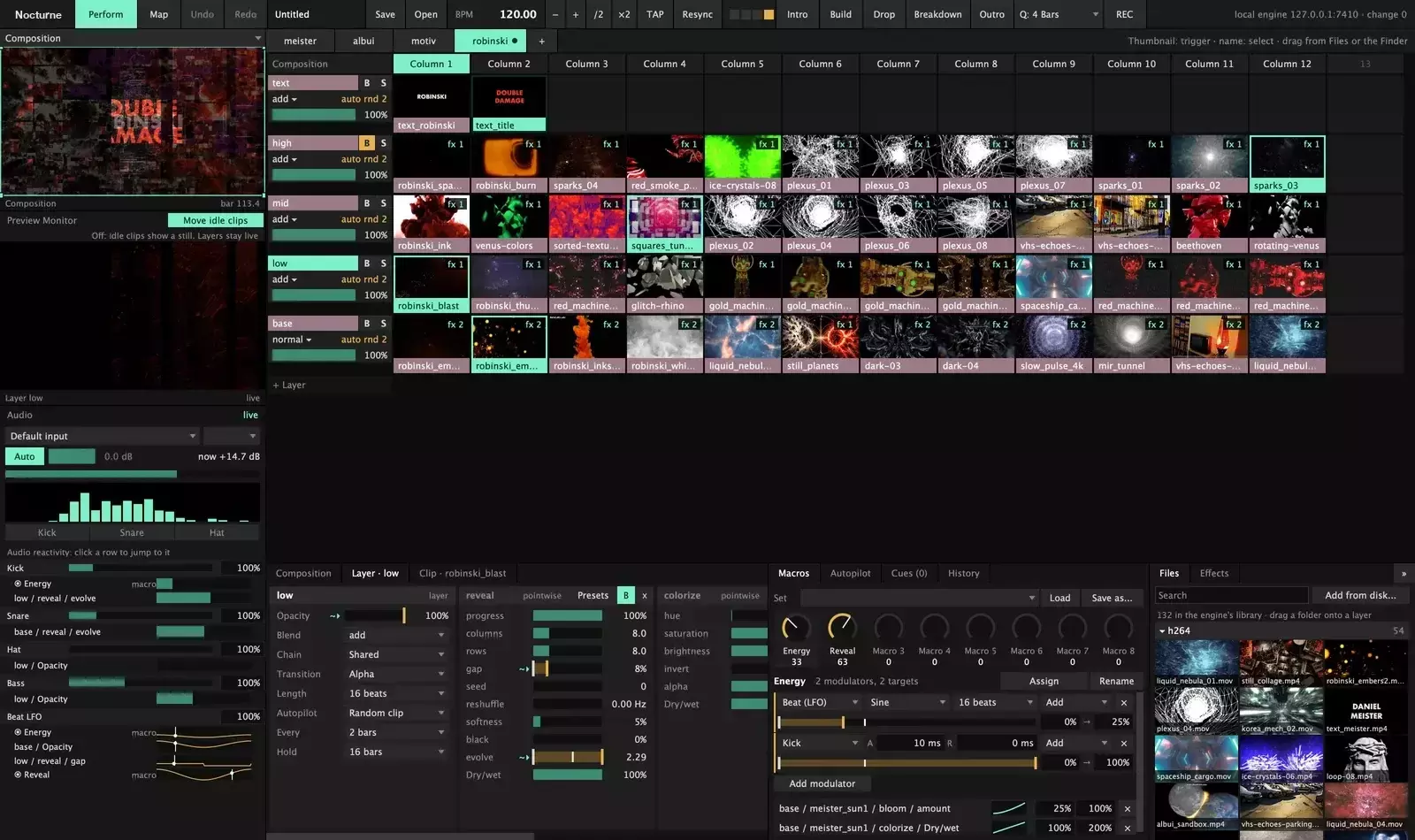

Nocturne — visuals for the long night
Beat-locked, mapped onto the room, and still playing when nobody is watching.
If you’ve ever lost a whole set because the UI locked up, watched one laggy projector drag every other output down, or moved a show to another Mac and watched every clip go missing… this one is aimed at those nights.
Nocturne is an open-source live VJ instrument for macOS (14+). It’s early, macOS-only, and you build it yourself for now — but it has already run real club nights on a 2018 Intel Mac mini. The core idea is simple and stubborn:
The engine plays the show.
The UI is just a window into it.
Clips are known by content, not by path.
Why it feels different
Most VJ apps put the UI and the render pipeline in the same process. When the interface freezes or crashes, the wall goes dark. Nocturne splits them:
- Headless C++20 + Metal engine — decode, render, present, beat clock, audio analysis
- Separate JUCE UI app — connects over WebSocket
- Supervisor — restarts the engine on crash (~0.2 s) or freeze (~2.2 s), safe mode after repeated failures
If the UI dies, the projectors don’t notice. Power-cycle a projector mid-set and its screen comes back where it was. One slow output runs on its own thread so it doesn’t drag the others.
At the gig
Play on the beat
- Decks → columns → layers
- Fire a clip, a column, or a whole deck — it lands on the next beat, bar, or N bars
- Autopilot walks layers/columns through your clips
- Beat-timed transitions: cut, alpha, wipe, dissolve, push
- Random jump, reverse, scrub (including long clips)
- Text clips + built-in generators (strobe, lines, checker, noise…) when the folder runs dry
Stay locked to the DJ
- Follows Pro DJ Link from CDJs; if the link drops it keeps the last tempo
- Tap / nudge / resync when you trust your ears more
- Live Sections (intro, build, drop, breakdown, outro) + Cues (“when Drop starts → fire column 1”)
- Gig mode: each DJ gets a deck; it only switches at set time or by hand — an early drop doesn’t put the wrong deck on the wall
Shape the picture
- Effect chains on clips, layers, groups, and the whole composition
- Curated ISF shaders + your own
.fsfiles - Eight Macro knobs per composition/group, driven by beat LFOs or room audio (level, bands, kick, snare, hat)
Map it onto the room
- Screens & slices: corner pin, Bezier warp grids, soft edges, masks, test card
- Independent present threads per output
- Record composition or a single screen to HEVC or ProRes while you play
Media that survives real life
- H.264, HEVC, ProRes, HAP (with its own HAP encoder)
- Clips identified by content hash — rename or move the folder and the show still finds them
- Minute-by-minute backups while you edit; show state survives restarts and power cuts
Resolume bridge
Opens Resolume compositions and Advanced Output mappings and writes a clear report of what was converted, approximated, or left out. There’s a Classic effect pack that covers familiar effects and can load that app’s presets from the same Mac. Import is a translation, not a 1:1 copy — read the report.
Engineering that actually matters on a Saturday night
- Reference machine: 2018 Intel Mac mini (UHD 630) — three 1080p outputs at 60 Hz, gated to stay ≥ 59.5 fps
- Fused effect passes (fewer GPU passes) brought a 5-layer test from ~45 → 60 fps on that box
- Resilience tests: pull drives, power-cycle projectors, hang clients, fill the disk, overload the GPU — while the show keeps playing
- Security: off-machine clients need a pairing token; remote paths confined to show folders
- Architecture decisions written down as ADRs in the repo
Stack: C++20 engine (Metal), JUCE UI, WebSocket protocol, AGPL-3.0-or-later. By Okonai under Azylume. Not affiliated with Resolume.
Status (honest)
Early. Interfaces still move.
- No packaged app yet — you build it
- No MIDI / OSC control yet (UI,
nocturne-ctl, Autopilot, Cues) - No DXV (transcode helper exists for imported Resolume shows)
- macOS only for now
Try it
sh
tools/make-signing-identity.sh # once per Mac
cmake -S . -B build && cmake --build build -j8
build/nocturne --windowed
open "build/Nocturne UI.app"
Needs: macOS 14+, Xcode CLT, CMake 3.24+, Homebrew ffmpeg. Apple silicon or Intel.
The repo ships no footage. Drop a few free public-domain / CC clips into examples/first-show/ (links in the README) and run the example composition.
Repo: github.com/Azylume/nocturne
Docs / reference / show-machine setup: in the repo under docs/
Site: work.azylume.dev/#nocturne
This is the kind of tool that feels written by someone who has actually stood in a booth at 3 a.m. and watched a UI take the whole room with it. If you live on Mac, care about reliability as much as looks, and don’t mind building from source while it matures, it’s worth a look — and maybe a star or a PR.
Anyone already running it on a real night? Drop notes below.
Nocturne
Visuals for the long night: beat-locked, mapped onto the room, and still playing when nobody is watching.



Why this exists
A UI crash used to take the whole show down. One slow projector dragged the others with it. Moving a show to
another Mac meant every clip went missing. Nocturne is the VJ tool built around those nights: the engine plays
on its own, the UI is just a window into it, and the show knows its clips by content, not by where they live.

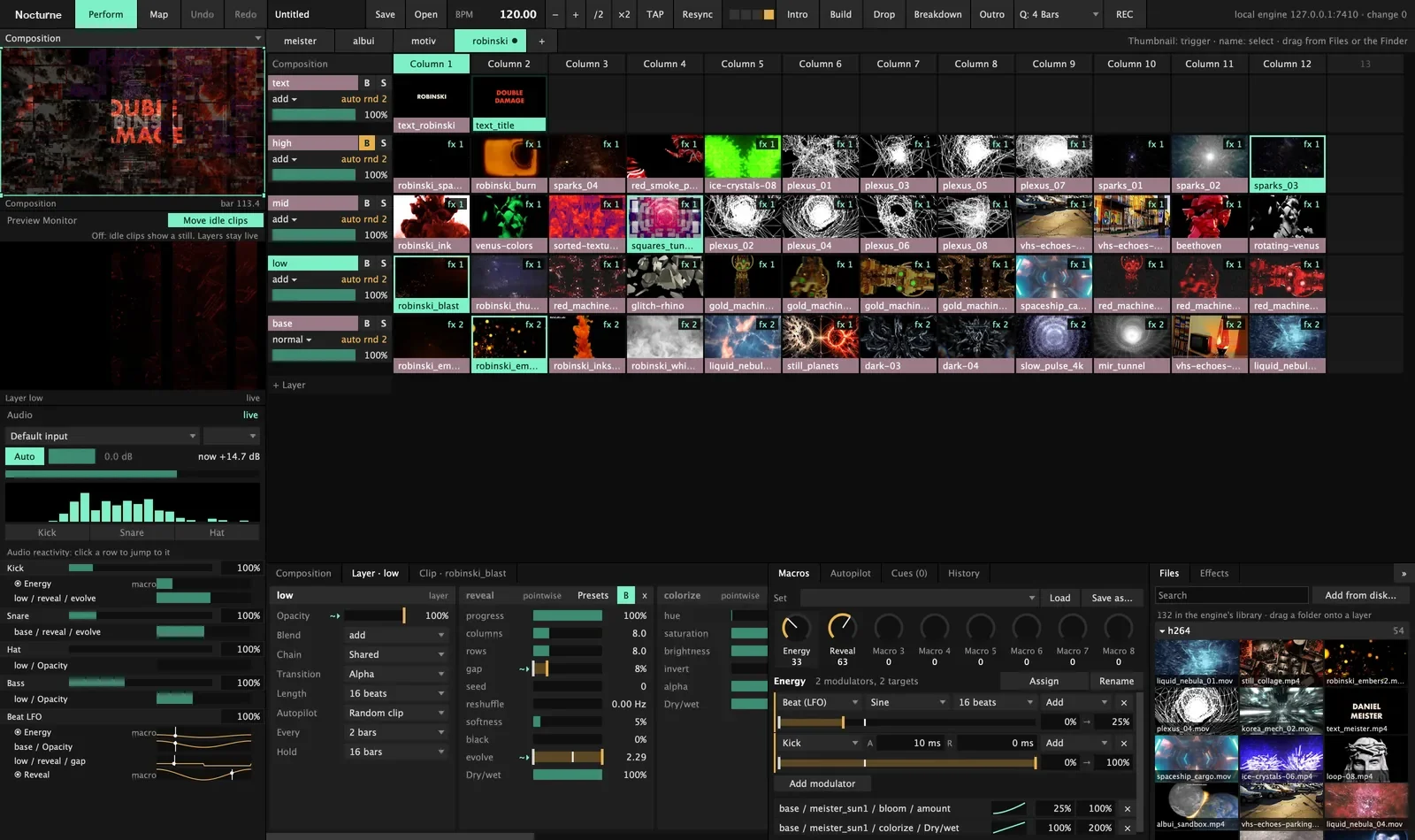
The example show from this repo, playing on its own. Footage: public-domain films (archive.org) and Beeple VJ loops (CC BY).
At the gig
Play clips on the beat
- Decks of columns and layers. Fire a clip, a column or a whole deck; it lands on the next beat, bar or N bars.
- Autopilot walks a layer, or the whole column, through your clips every…







Top comments (0)